Daily Progress Report Format Excel & Word – Free DPR Template Every Engineer Needs
Download Daily Progress Report (DPR format) in Word & Excel. Free, simple, and professional template for engineers and site projects.
 Suraj Manikpuri
📖 Introduction: The Day I Realized DPR is Not Just a “Formality”
Few years back, I was working on a site where everything looked fine—work was going on, manpower was present, machines were running.
But when client asked for proof of progress…
Silence 😶
No proper records. No clarity. And guess what? Payment got delayed.
That’s when I understood the real value of a Download Daily Progress Report (DPR Format).
👉 DPR is not paperwork. It’s your daily evidence.
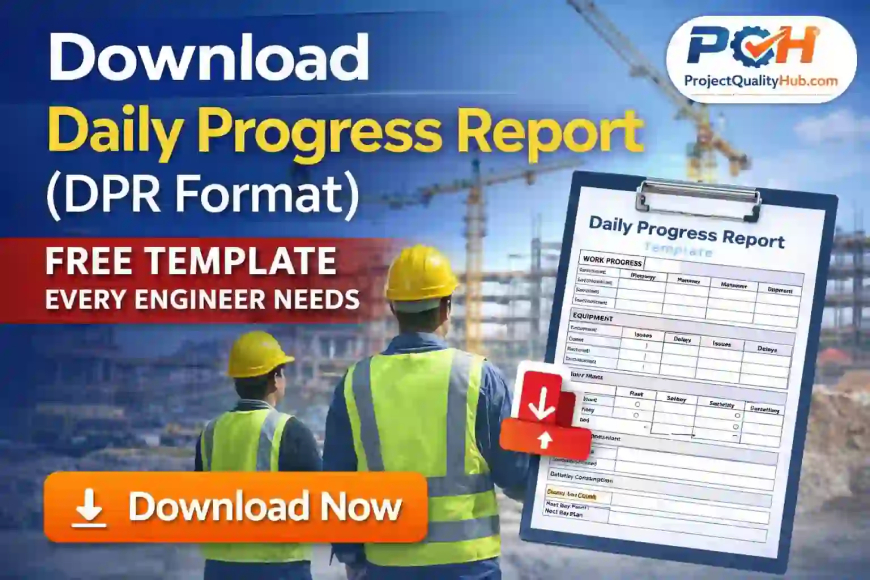
📥 Download Daily Progress Report (DPR Format)
If you’re looking for a ready-to-use DPR format, you don’t need to waste hours creating one.
👉 I’ve already created a professional template for you:
- ✔ Clean design
- ✔ Easy to fill
- ✔ Site-friendly format
- ✔ Suitable for construction & industrial projects
📂 Download your DPR format (Word file):

📂 Download your DPR format (Excel file):
Download Daily Progress Report Format for Site Engineers, Contractors and Project Managers
Looking for a ready-to-use DPR format in Excel & word for construction site? Here you can download a professional Daily Progress Report format that can be used by site engineers, contractors, supervisors, project managers, civil engineers, mechanical engineers and construction companies.
A Daily Progress Report, commonly called DPR, is one of the most important documents at any construction or industrial project site. It records daily work progress, manpower deployment, machinery status, material consumption, site issues, safety observations and next-day planning.
If DPR is maintained properly, it helps in project monitoring, billing, client reporting, delay analysis, claim support and site coordination.
🧠 What is a Daily Progress Report (DPR)?
A Daily Progress Report (DPR) is a document that captures:
- Work completed today
- Manpower deployed
- Equipment used
- Issues faced
- Plan for next day
👉 Simple samjho: “DPR = Site ka daily report card”
🏗️ Who Should Use This DPR Format?
This template is useful for:
- Site Engineers
- Project Managers
- Civil & Mechanical Engineers
- Contractors & Supervisors
- Engineering students (for training/projects)
⚙️ What’s Inside This DPR Template?
The downloaded DPR format includes:
🔹 Project Information Section
- Project Name
- Date
- Location
- Prepared by
🔹 Work Progress Table
- Activity
- Planned vs Actual
- Remarks
🔹 Manpower Section
- Skilled
- Unskilled
- Staff
🔹 Equipment Section
- Equipment name
- Quantity
- Status
🔹 Material Consumption
- Material used
- Quantity
🔹 Issues / Delays
- Site problems
- Weather impact
- Resource shortage
🔹 Safety Observations
- PPE compliance
- Incidents
- Toolbox talk
🔹 Next Day Plan
- Target activities
- Resource planning
🧪 Real-Life Example (Why This Template Works)
In one of my projects, we shifted from handwritten notes to a proper DPR format.
Result within 2 weeks:
- Clear communication with client
- Faster approvals
- No confusion in billing
👉 Most important: “Engineer ki credibility improve ho gayi”
🛠️ Step-by-Step: How to Use This DPR Format
Step 1: Open the File
Download and open the Word file.
Step 2: Fill Basic Details
Enter:
- Project name
- Date
- Location
Step 3: Update Work Progress
Write clear and measurable work:
👉 “Concrete completed – 10 Cum” (not vague lines)
Step 4: Add Manpower & Equipment
Mention actual numbers—no guessing.
Step 5: Highlight Issues Honestly
👉 “Jo problem hai woh likho, warna kal problem badegi”
Step 6: Plan Next Day Work
Always end DPR with next day targets.
👍 Advantages of Using This DPR Format
✔ Saves time (ready-made template)
✔ Improves reporting quality
✔ Helps in project tracking
✔ Useful for claims & billing
✔ Professional impression
👎 Limitations
❌ Needs daily discipline
❌ Data must be accurate
❌ Slight effort required daily
⚠️ Common Mistakes to Avoid
- Copy-paste previous DPR
- Writing unclear progress
- Ignoring delays
- Skipping safety section
- Filling DPR next day
👉 Biggest mistake: “DPR ko last priority dena”
💡 Expert Tips (From Site Experience)
- Fill DPR same day (before leaving site)
- Add site photos (game changer)
- Keep backup in email/drive
- Use simple language
- Maintain consistency
👉 Golden line: “DPR strong hai toh project control strong hai”
Conclusion
A DPR format in Excel & word is one of the most useful documents for any construction site. It helps site engineers and project managers track daily work progress, manpower, machinery, material, safety, quality and delay reasons in a structured way.
If you are working at a construction site, industrial project or civil work site, you should maintain DPR daily. It will save time, improve communication, support billing and protect your project team during disputes.
Download the ready-to-use DPR Format in Excel & word for Construction Site and customize it as per your project requirement.
👉 Final advice: “Aaj se DPR seriously lena start karo”
❓ FAQs
FAQs on DPR Format
1. What is DPR format in construction?
DPR format is a Daily Progress Report format used at construction sites to record daily work progress, manpower, machinery, material, safety observations, site issues and next-day planning.
2. Can I download DPR format in Excel?
Yes, you can download DPR format in Excel and use it for construction site reporting. Excel format is useful because you can easily update quantities, manpower, machinery hours and material balance.
3. What should be included in DPR format?
A DPR format should include project details, date, work progress, manpower, machinery, material received, material consumed, safety observations, quality inspection status, delay reasons, remarks and next-day plan.
4. Who prepares DPR at construction site?
Generally, the site engineer, supervisor or contractor representative prepares the DPR. It is then checked by the project engineer, planning engineer or project manager.
5. Why is DPR important in construction?
DPR is important because it provides daily evidence of work progress. It helps in project monitoring, billing, delay analysis, claim support, contractor control and client communication.
6. Is DPR required for civil work?
Yes, DPR is very useful for civil work because it records excavation, PCC, RCC, reinforcement, shuttering, concrete, masonry, plaster and finishing work progress.
7. What is the difference between DPR and daily progress report?
DPR is the short form of Daily Progress Report. Both terms mean the same daily site reporting document.
8. Can DPR format be used for mechanical and electrical work?
Yes, the same DPR format can be customized for mechanical erection, piping, equipment installation, electrical installation, cable laying, panel installation and commissioning work.
9. Which format is better for DPR: Excel, Word or PDF?
Excel is best for daily use because calculations and summaries can be maintained easily. Word is useful for simple reporting, and PDF is useful for final submission or record keeping.
10. Can students use this DPR format?
Yes, engineering students, trainees and interns can use this DPR format to understand how daily site reporting is done in real construction and industrial projects.