Step-by-Step Operating Procedure of Universal Testing Machine (UTM)
Step-by-step UTM 1000 (WALTER BAI) operation guide with real tips, safety rules & practical examples for engineers.
 Suraj Manikpuri
🚀 Introduction: Where Most Engineers Go Wrong
I still remember a junior engineer confidently running a tensile test… and within seconds, the specimen slipped out of the grips.
Machine was fine.
But the setup was wrong.
That’s the reality—UTM operation looks easy, but one small mistake can ruin results or damage equipment.
So if you’re working with a Universal Testing Machine (UTM 1000 – WALTER BAI), this guide will walk you step-by-step—like a senior standing beside you in the lab.
🔍 What is UTM 1000 (WALTER BAI) – Quick Context
This is a servo-hydraulic, computer-controlled machine used for:
✔ Tensile testing
✔ Compression testing
✔ Bending tests
With capacity up to 1000 kN, it’s used in:
-
Steel plants
-
Construction labs
-
QA/QC departments
👉 Simple language: Ye machine batati hai material strong hai ya fail hone wala hai.
⚙️ Step-by-Step Operating Procedure of UTM 1000 (WALTER BAI)
🔴 Step 1: Pre-Start Safety Check (Never Skip This)
Before touching the machine:
✔ Check hydraulic oil level
✔ Inspect hoses for leakage
✔ Ensure emergency stop is released
✔ Confirm safety enclosure is closed
✔ Verify 3-phase power supply
👉 Real tip: अगर starting galat hai, test kabhi sahi nahi hoga.
🟢 Step 2: Power ON Sequence
Follow this order strictly:
-
Main power ON
-
Hydraulic power pack ON
-
Control system ON
-
Computer & software (DION) start
👉 This machine runs on closed-loop servo control, so proper startup is critical.
🟡 Step 3: Machine Initialization
-
Reset load to zero
-
Check load cell status
-
Position crosshead safely
-
Select control mode:
-
Load / Stress / Strain
-
🔵 Step 4: Specimen Preparation & Fixing
🔗 For Tensile Test:
-
Measure specimen dimensions
-
Insert in hydraulic grips
-
Tighten grips using control panel
-
Ensure perfect alignment
👉 Misalignment = गलत reading (very common mistake)
🧱 For Compression Test:
-
Place specimen on compression plate
-
Center properly
-
Adjust crosshead height
👉 Good thing: No need to remove fixtures (dual test space design)
🟣 Step 5: Set Test Parameters in Software
In DION software:
✔ Enter material details
✔ Set test speed (0.1–150 mm/min)
✔ Select standard (IS / ASTM / ISO)
✔ Set max load / stop condition
👉 You can also define 0.2% proof stress directly.
🟠 Step 6: Extensometer Setup (If Required)
-
Attach extensometer
-
Set gauge length
-
Check readings
👉 Used when high accuracy strain measurement is needed.
🔴 Step 7: Start the Test
-
Close safety door
-
Click “START”
Machine will:
-
Apply load gradually
-
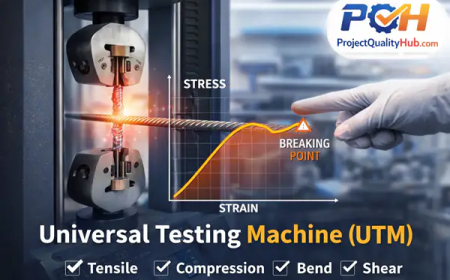
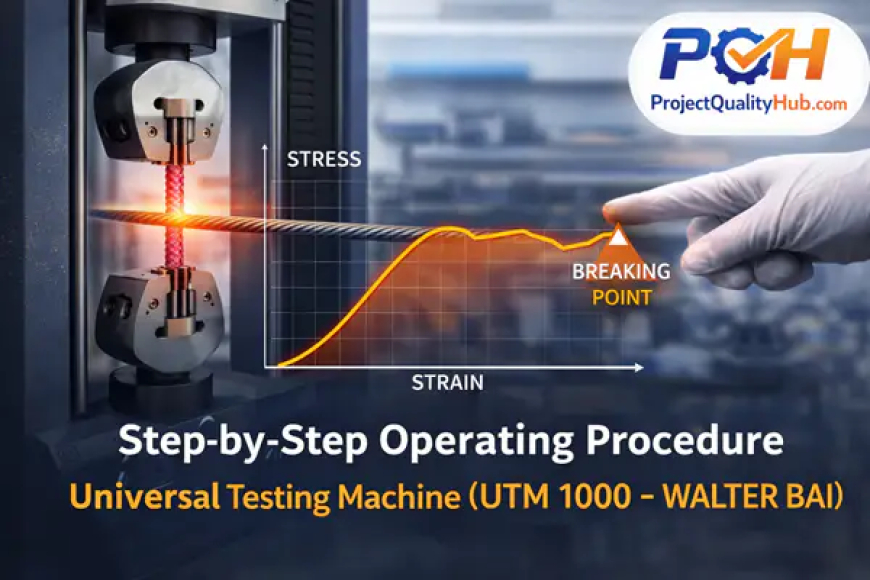
Generate live stress-strain graph
👉 Watching this graph is like seeing material behavior in real time.
🟢 Step 8: Monitor During Test
Keep eyes on:
✔ Specimen slippage
✔ Abnormal noise
✔ Sudden load drop
👉 Emergency? Hit E-STOP immediately
🔵 Step 9: Test Completion
Machine stops automatically at:
-
Break point
-
Load limit
Then:
✔ Remove specimen
✔ Save data
✔ Generate report
📄 Results include:
-
Yield strength
-
UTS
-
Elongation
-
Young’s modulus
🟡 Step 10: Shutdown Procedure
✔ Release hydraulic pressure
✔ Turn OFF software
✔ Turn OFF control system
✔ Turn OFF hydraulic unit
👉 Never leave machine pressurized—dangerous habit.
🏭 Real-Life Example (From Site Experience)
In a steel plant QA lab:
-
A batch of rebars was tested
-
Results showed low elongation
-
Entire lot rejected
👉 Cost saving? Huge.
👉 Safety risk avoided? Even bigger.
✅ Advantages of UTM 1000
✔ High accuracy (±0.5%)
✔ Multi-test capability
✔ Automated reporting
✔ Suitable for heavy-duty testing
❌ Disadvantages
❌ High cost
❌ Requires trained operator
❌ Maintenance intensive
❌ Sensitive to setup errors
⚠️ Common Mistakes Engineers Make
❌ Improper gripping
❌ Ignoring calibration
❌ Wrong test speed
❌ Skipping alignment
👉 Truth: Machine rarely fails—operator mistakes are common.
🧠 Expert Tips (Real Experience Based)
💡 Always align specimen properly
💡 Use correct jaw faces for size
💡 Keep test speed as per standard
💡 Recheck zero load before test
💡 Observe graph—not just final result
👉 Pro tip: Graph tells the real story, report sirf summary hota hai.
⚠️ Disclaimer
This procedure is a general guideline based on technical data and practical experience.
Operate the UTM 1000 only after proper training from the OEM’s authorized service engineer or certified expert.
Improper handling may lead to:
-
Wrong test results
-
Equipment damage
-
Serious safety risks
Always follow OEM manual and safety standards.
🏁 Conclusion: Skill + Machine = Accurate Testing
The Universal Testing Machine (UTM 1000 – WALTER BAI) is not just equipment—it’s a decision-making tool.
It decides:
-
Whether material passes or fails
-
Whether structure is safe or risky
But remember:
👉 Machine accurate hai, par operator disciplined hona chahiye.
Master this SOP, and you’ll not just run tests—you’ll run reliable engineering decisions.
❓ FAQs
1. What is the main use of UTM 1000?
To test tensile, compression, and mechanical properties of materials up to 1000 kN load.
2. Why is proper gripping important in UTM?
Improper gripping leads to slippage and incorrect results.
3. What is the ideal test speed in UTM?
Typically between 0.1 to 150 mm/min depending on standards.
4. Can UTM perform multiple tests?
Yes, tensile, compression, bending—all in one machine.
5. Is training required before using UTM?
Yes, training from an authorized engineer is mandatory for safe operation.
Related Articles
- Complete List of Mechanical Testing Equipment for Labs
- Six Sigma Certification Guide: Levels, Benefits & Career
- Universal Testing Machine (UTM) Explained Simply