
Risk Register Template Excel Free Download – Project Risk Format with Example
Download risk register template free in Excel format. Learn how project managers use risk registers to identify and manage risks effectively.
 Suraj Manikpuri
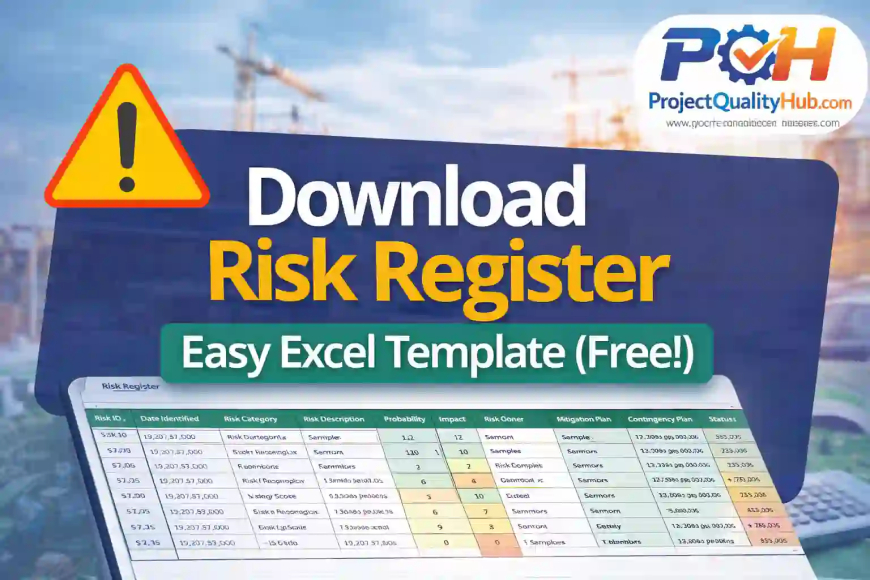
If you have ever managed a project, you already know one simple truth—problems never come with prior notice. Kabhi vendor late ho jata hai, kabhi budget exceed ho jata hai, aur kabhi manpower suddenly unavailable ho jati hai.
That’s exactly why smart project managers always keep one powerful tool ready: a Risk Register.
A risk register helps you identify, track, and manage project risks before they turn into major issues. Whether you are handling a construction project, software development, manufacturing shutdown, or engineering EPC job, maintaining a proper risk register can save time, money, and stress.
In this article, I’ll explain everything you need to know about download risk register templates, how to use them, and why every professional project manager should have one.
What Is a Risk Register?
A Risk Register is a project management document used to list all possible risks in a project along with:
- Risk description
- Probability of occurrence
- Impact level
- Mitigation action
- Responsible owner
- Current status
Think of it as a warning dashboard for your project.
Instead of waiting for problems to happen, you prepare in advance.

Why Should You Download a Risk Register Template?
Creating a risk register from scratch every time is honestly a waste of effort.
A ready-made risk register template helps you:
Save Time
No need to build format manually.
Maintain Professional Standards
Ensures all risk parameters are covered.
Improve Team Communication
Everyone understands project threats clearly.
Track Risks Easily
Simple Excel filters and sorting make monitoring easier.
Key Components of a Good Risk Register Template
Before you download risk register files online, make sure the template includes these fields:
1. Risk ID
Unique identification number for every risk.
2. Risk Description
Clear explanation of possible issue.
3. Probability
How likely the risk may happen.
4. Impact
Severity if the risk occurs.
5. Risk Score
Usually calculated as:
Risk Score = Probability × Impact
6. Mitigation Plan
Action to reduce or avoid the risk.
7. Owner
Person responsible for monitoring.
8. Status
Open / Closed / In Progress.
Practical Example of Risk Register Usage
Let’s understand with a real-life construction example.
Imagine you are managing a steel plant erection project.
Possible Risks Could Be:
| Risk ID | Description | Probability | Impact | Mitigation |
|---|---|---|---|---|
| R-01 | Delay in structural steel delivery | High | High | Weekly vendor follow-up |
| R-02 | Rain affecting civil work | Medium | Medium | Buffer days in schedule |
| R-03 | Crane breakdown | Low | High | Keep standby crane vendor |
Without tracking these, your schedule may collapse.
How to Use a Downloaded Risk Register Template (Step-by-Step)
Step 1: Identify Risks
Conduct brainstorming with team members.
Step 2: Assess Probability
Rate from 1–5.
Step 3: Assess Impact
Rate severity level.
Step 4: Calculate Risk Score
Multiply probability and impact.
Step 5: Plan Mitigation
Define preventive actions.
Step 6: Assign Owner
Make one person accountable.
Step 7: Review Weekly
Update during project meetings.
Advantages of Using Risk Register
Better Decision Making
Management gets visibility of project threats.
Prevents Delays
Issues handled proactively.
Improves Budget Control
Financial risks managed early.
Enhances Client Confidence
Professional reporting improves trust.
Disadvantages / Limitations
Requires Regular Updating
If ignored, becomes useless.
Team Discipline Needed
Everyone must report honestly.
Can Become Complex
Too much detail may confuse teams.
Common Mistakes While Maintaining Risk Register
Many teams make these mistakes:
Treating It as Formality
They create it once and never update.
Ignoring Small Risks
Minor issues can become major later.
No Risk Owner Assigned
Without accountability, no action happens.
Unrealistic Risk Ratings
Wrong probability/impact destroys accuracy.
Expert Tips for Effective Risk Management
After handling multiple industrial and engineering projects, here are my personal recommendations:
Keep It Simple
Don’t overcomplicate the sheet.
Review Weekly
Weekly review works best.
Involve Site Team
Ground-level staff know actual risks better.
Use Color Coding
Red = High Risk
Yellow = Medium
Green = Low
Link with Schedule
Tie risks to Primavera/MS Project planning.
Where to Download Risk Register Template?
You can download a professional Risk Register Excel Template directly from Project Quality Hub and start using it immediately for your project planning.
It is suitable for:
- Construction Projects
- EPC Projects
- IT/Software Projects
- Manufacturing Shutdowns
- Maintenance Planning
Conclusion
A download risk register template is one of the smartest tools any project manager can use to stay ahead of problems. It helps teams predict challenges, assign responsibilities, and reduce project uncertainty before it impacts schedule or cost.
No matter how small or large your project is, having a structured risk register makes your planning stronger and your execution smoother.
So if you are serious about professional project management, download risk register templates and start using them from day one of your project.
FAQs
1. What is the purpose of a risk register?
A risk register helps track and manage project risks systematically.
2. Is Excel good for maintaining a risk register?
Yes, Excel is simple, flexible, and widely used for project risk management.
3. Who prepares the risk register?
Usually project manager, planning engineer, or risk management team.
4. How often should risk register be updated?
Ideally weekly or during review meetings.
5. Can small projects use risk register?
Absolutely. Even small projects benefit from risk tracking.
Related Article : Download Project Charter Template