Pareto Chart in Six Sigma: Fix 80% Problems Fast
Learn Pareto Chart (80/20 Rule) in Six Sigma with real examples, steps & expert tips. Solve major problems faster and improve quality.
 Suraj Manikpuri
Introduction: The Day I Stopped Chasing Every Problem
A few years ago, during a project review at site, we had a long list of issues—around 15 different defects affecting production.
Team confused thi—“Pehle kaunsa problem solve karein?”
Instead of trying to fix everything, I created a Pareto Chart in Six Sigma.
Result?
👉 Just 3 issues were causing nearly 75% of the problems.
That day, I learned a powerful lesson:
“Har problem important nahi hota. Kuch problems hi maximum damage karte hain.”
📊 What is Pareto Chart (80/20 Rule) in Six Sigma?
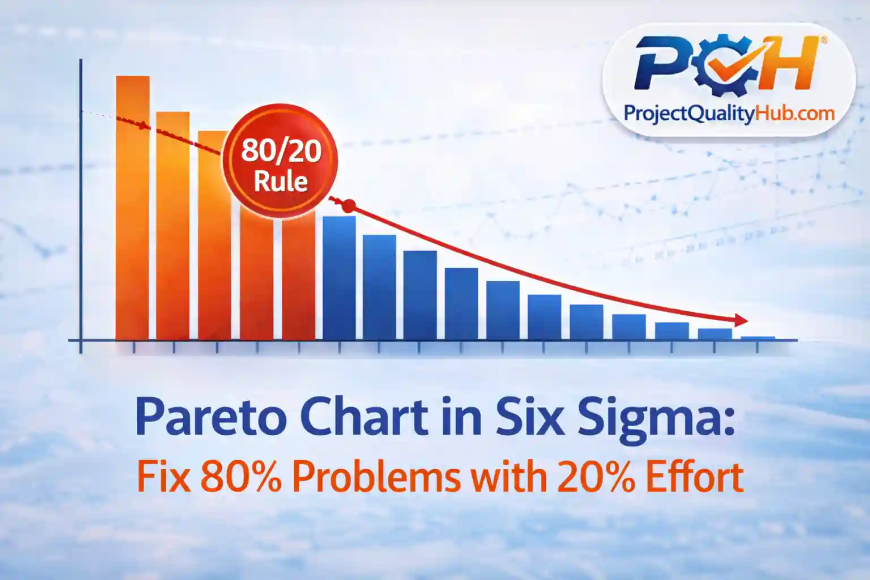
A Pareto Chart is a bar graph that helps you identify the most significant factors in a dataset.
It follows the famous 80/20 rule:
👉 80% of problems come from 20% of causes
In simple terms:
- Focus on the vital few
- Ignore the trivial many
💡 Hinglish me bole toh: sab problems equal nahi hote—kuch hi main culprit hote hain.
🎯 Why Pareto Chart is Important in Six Sigma
Six Sigma is all about efficiency and impact.
Pareto Chart helps you:
- Prioritize problems
- Focus on high-impact issues
- Save time and effort
- Improve decision-making
👉 Agar aap sab kuch ek saath fix karne ki koshish karte ho, toh kuch bhi properly fix nahi hota.
📈 Key Components of a Pareto Chart
A typical Pareto Chart has:
- Bars (Left Axis) → Frequency of problems
- Line Graph (Right Axis) → Cumulative percentage
- X-axis → Categories (types of defects/issues)
👉 Bars show “what is happening”
👉 Line shows “how much impact it has”
📊 Real-Life Example (From Industry Experience)
Case: Plate Mill Defect Analysis
Problem:
Production defects increasing in plate mill.
Collected Data:
- Surface defects
- Thickness variation
- Edge cracks
- Scale formation
- Handling damage
Pareto Analysis Result:
- Surface defects: 35%
- Thickness variation: 25%
- Edge cracks: 15%
👉 Top 3 issues = 75% problems
Action Taken:
- Focused only on top 3 causes
- Adjusted rolling parameters
- Improved cooling system
📌 Result:
- Defects reduced by 60% within weeks
👉 Yahi Pareto ka magic hai—kam effort, bada impact.
🧭 Step-by-Step: How to Create a Pareto Chart
Step 1: Identify problems
List all defects/issues
Step 2: Collect data
Count frequency of each problem
Step 3: Arrange in descending order
Highest frequency first
Step 4: Calculate cumulative percentage
Running total percentage
Step 5: Draw chart
- Bars for frequency
- Line for cumulative %
👉 Excel me “Insert → Pareto Chart” option available hai (very simple).
✅ Advantages of Pareto Chart in Six Sigma
✔ Helps prioritize work
✔ Saves time and resources
✔ Easy to understand
✔ Improves decision-making
✔ Focus on high-impact areas
❌ Disadvantages
❌ Ignores smaller issues (which may grow later)
❌ Data accuracy pe depend karta hai
❌ Does not show root cause directly
👉 Pareto batata hai kya problem hai, kyun hai wo nahi batata.
⚠️ Common Mistakes (Avoid These)
❌ Trying to fix all problems at once
❌ Using incomplete data
❌ Ignoring low-frequency issues completely
❌ Not updating Pareto regularly
👉 Reality: Pareto ek one-time tool nahi hai—regular update karna padta hai.
🚀 Expert Tips (From Real Experience)
✔ Combine Pareto with Root Cause Analysis (RCA)
✔ Update data weekly or monthly
✔ Use team discussion to validate findings
✔ Focus on action, not just charts
💡 Pro Tip: “Pareto chart banana easy hai, lekin right problem choose karna skill hai.”
🧠 Conclusion: Work Smart, Not Hard
Pareto Chart (80/20 Rule) in Six Sigma is one of the smartest tools you can use.
It teaches you:
- Where to focus
- What to ignore
- How to maximize impact
👉 Because:
“Success comes from solving the right problems, not all problems.”
Aur jab aap right problems pe focus karte ho:
- productivity increase hoti hai
- defects reduce hote hain
- results fast milte hain
❓ FAQs (Frequently Asked Questions)
1. What is Pareto Chart in Six Sigma?
It is a tool used to identify the most important causes of problems based on frequency.
2. What is the 80/20 rule?
It means 80% of results come from 20% of causes.
3. Where is Pareto Chart used?
In quality control, manufacturing, project management, and business analysis.
4. Can Pareto Chart show root cause?
No, it only highlights major problems. Root cause analysis is needed separately.
5. Which tools can create Pareto Chart?
Excel, Minitab, Power BI, and other analytics tools.