Project Charter Template Free Download – Simple Format with Real Example
Project Charter Template kya hota hai, kaise banate hain aur real project me kaise use karein – simple Hinglish guide for engineers & students, Download Project Charter Template.
 Suraj Manikpuri
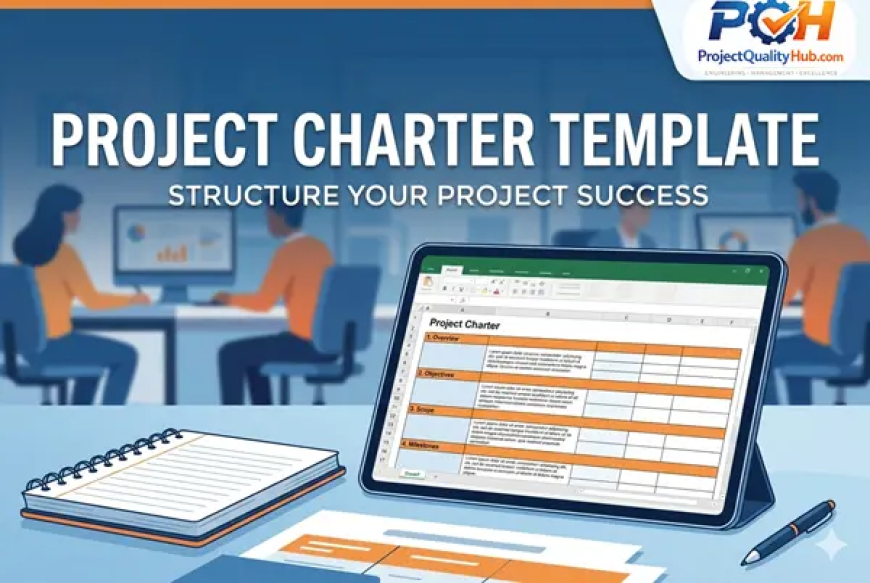
Project Charter Template: Meaning, Format, Example, and Step-by-Step Guide
Introduction: A Small Document with a Big Impact
In many projects, teams spend a lot of time preparing drawings, schedules, manpower plans, purchase orders, and execution strategies. But sometimes one important document is missing — a clear project charter.
When a project charter is not properly prepared, the project team may face confusion, scope disputes, budget issues, delayed approvals, and unnecessary arguments between the client, contractor, vendor, and internal team.
A project charter may look like a simple document, but in reality, it works as the foundation document of the project. It defines why the project is being started, what needs to be delivered, who is responsible, what the budget is, and how success will be measured.
Whether you are a student, engineer, project coordinator, planning engineer, quality engineer, or project manager, understanding how to prepare and use a project charter can improve your project management skills significantly.
In this article, we will understand what a project charter template is, why it is important, what sections it should include, and how to prepare one step by step.
What Is a Project Charter Template?
A project charter template is a standard format used to prepare a formal project authorization document. It contains the basic but critical information required to start and control a project.
A good project charter usually includes:
- Project objective
- Project scope
- Budget summary
- Project timeline
- Major milestones
- Roles and responsibilities
- Key stakeholders
- Initial project risks
- Approval details
In simple words:
A project charter is the official birth certificate of a project.
It gives formal approval to start the project and provides a common understanding between all major stakeholders.
Download Project Charter Template

Why Is a Project Charter Important?
In real project execution, many issues arise because expectations are not clearly documented at the beginning.
You may have heard statements like:
- “This work is not in our scope.”
- “This was not mentioned in the work order.”
- “Budget approval is still pending.”
- “The client has changed the requirement.”
- “The contractor was not informed earlier.”
These problems often happen when the project charter is missing, incomplete, or not clearly communicated.
A project charter helps to:
- Provide clear project direction
- Reduce scope disputes
- Align the client, contractor, consultant, and project team
- Define responsibilities from the beginning
- Improve budget control
- Support better decision-making
- Create a formal record of approval
- Avoid confusion during execution
For small projects, the charter may be simple. For large industrial, construction, IT, manufacturing, or infrastructure projects, it becomes even more important.
Key Components of a Project Charter Template
A standard project charter template should include the following important sections.
1. Project Overview
The project overview section provides the basic identity of the project.
It usually includes:
- Project name
- Project location
- Client name
- Contractor name
- Consultant name
- Project start date
- Expected completion date
- Project reference number
- Project manager name
This section gives a quick summary of the project and helps anyone understand the basic details at a glance.
2. Project Objective and Goal
This section explains why the project is being executed and what it is expected to achieve.
The project objective should be clear, measurable, and practical.
For example:
“Install and commission two high-pressure descaling pumps with a working pressure of 200 bar before the planned shutdown period.”
A good project objective should answer:
- What is the purpose of the project?
- What output is expected?
- What problem will the project solve?
- How will project success be measured?
You can also use the SMART goal method:
- Specific
- Measurable
- Achievable
- Relevant
- Time-bound
3. Project Scope: In-Scope and Out-of-Scope
The scope section is one of the most important parts of a project charter.
It defines what is included in the project and what is not included.
Example of In-Scope Work
- Pump installation
- Pipeline erection
- Equipment alignment
- Testing and commissioning
- Trial run support
- Documentation and handover
Example of Out-of-Scope Work
- Civil foundation modification
- Electrical panel supply
- Major structural modification
- Additional utility line installation
- Operation and maintenance after handover
Clearly defining in-scope and out-of-scope items helps prevent future disputes.
Many project conflicts happen because this section is either missing or written in a very general way.
4. Milestone Schedule
The milestone schedule shows the major stages of the project.
It does not need to include every small activity, but it should capture the important control points.
Typical milestones include:
- Engineering completion
- Drawing approval
- Material procurement
- Material dispatch
- Site mobilization
- Foundation readiness
- Equipment installation
- Testing and commissioning
- Final inspection
- Project handover
A milestone schedule helps the team track project progress and identify delays early.
5. Roles and Responsibilities
A project cannot run smoothly if responsibilities are not clearly defined.
This section explains who is responsible for what.
Common roles include:
- Project sponsor
- Project manager
- Planning engineer
- Site engineer
- Quality engineer
- Safety officer
- Procurement team
- Client representative
- Vendor or supplier
- Consultant
For better clarity, you can use a responsibility matrix.
Example:
| Role | Responsibility |
|---|---|
| Project Manager | Overall project coordination and decision-making |
| Site Engineer | Execution and daily site supervision |
| Quality Engineer | Inspection, testing, and documentation |
| Planning Engineer | Schedule monitoring and progress reporting |
| Client Representative | Approval, coordination, and site clearance |
| Vendor | Material supply and technical support |
When responsibilities are clearly defined, work moves faster and accountability improves.
6. Budget Summary
The budget summary section gives a high-level view of the approved or estimated project cost.
It may include:
- Material cost
- Labour cost
- Equipment cost
- Transportation cost
- Testing and inspection cost
- Site establishment cost
- Contingency amount
A project charter is not a detailed cost estimate, but it should provide enough budget information to control major financial decisions.
This section helps avoid uncontrolled spending and gives management a clear financial picture from the beginning.
7. Initial Risk Register
Every project has risks. The project charter should include the major risks identified during the early stage.
Example:
| Risk | Impact | Suggested Action |
| Delay in material supply | High | Regular vendor follow-up and alternate sourcing |
| Delay in drawing approval | Medium | Early submission and approval tracking |
| Shutdown delay | Medium | Prepare alternate execution plan |
| Manpower shortage | High | Arrange backup manpower agency |
| Site clearance issue | High | Coordinate with client before mobilization |
This initial risk register helps the project team prepare mitigation plans in advance.
8. Stakeholder Details
Stakeholders are the people or organizations involved in or affected by the project.
Common stakeholders include:
- Client
- Contractor
- Consultant
- Project sponsor
- End user department
- Vendor
- Safety department
- Quality department
- Finance department
- Government or regulatory authority, if applicable
The stakeholder section should include names, departments, roles, and contact details wherever required.
This helps improve communication and avoids confusion during approvals or decision-making.
Real-Life Example: Industrial Project Scenario
Let us take an example of a pressure vessel installation project.
Without a Project Charter
The following problems may happen:
- The client says the foundation was not ready.
- The contractor says drawings were received late.
- The vendor says the purchase order was delayed.
- The site team says manpower was not planned properly.
- The quality team says inspection requirements were not communicated.
As a result, the project may face delays, additional costs, and unnecessary conflict.
With a Project Charter
The situation becomes much better:
- Scope is clearly defined.
- Responsibility is assigned.
- Timeline is approved.
- Budget is documented.
- Approval authority is clear.
- Risks are identified early.
- Communication becomes smoother.
The result is better project control and smoother execution.
How to Create a Project Charter Template in Excel
You can easily prepare a project charter in Excel. Excel is practical because it allows tables, dates, filters, responsibility matrices, and revision tracking.
Follow these steps:
Step 1: Create a Basic Project Details Sheet
Include:
- Project name
- Project number
- Client name
- Contractor name
- Location
- Start date
- Completion date
- Project manager
- Prepared by
- Approved by
This sheet works as the cover page or summary page.
Step 2: Define the Project Objective
Write a short and clear project objective.
Avoid vague statements like:
“Complete the project successfully.”
Instead, write a measurable objective like:
“Complete installation, testing, and commissioning of the pump system by 30 September 2026 within the approved budget and quality requirements.”
Step 3: Define In-Scope and Out-of-Scope Work
Create two separate columns:
| In-Scope Work | Out-of-Scope Work |
| Equipment installation | Civil foundation modification |
| Pipeline erection | Electrical panel supply |
| Testing and commissioning | Operation after handover |
This section is very useful during client and contractor discussions.
Step 4: Prepare the Milestone Table
Create a simple table like this:
| Milestone | Planned Date | Responsibility | Status |
| Drawing approval | 10 June 2026 | Engineering Team | Pending |
| Material dispatch | 25 June 2026 | Vendor | Planned |
| Site mobilization | 01 July 2026 | Contractor | Planned |
| Commissioning | 20 July 2026 | Project Team | Planned |
This gives the project team a clear execution roadmap.
Step 5: Assign Roles and Responsibilities
Prepare a responsibility matrix.
You can use a simple format or a RACI matrix.
RACI means:
- Responsible
- Accountable
- Consulted
- Informed
This method is very useful for large projects where many departments are involved.
Step 6: Add Budget and Risk Details
Create separate sections for:
- Estimated budget
- Approved budget
- Cost heads
- Contingency
- Major risks
- Mitigation plan
This helps management understand both cost and risk at the initial stage.
Step 7: Add Approval Section
The approval section is very important.
It may include:
- Prepared by
- Checked by
- Reviewed by
- Approved by
- Client approval
- Management approval
- Date of approval
- Signature
Without approval, the project charter remains only a draft document.
Advantages of a Project Charter Template
A project charter template provides many benefits:
- Improves project clarity
- Supports better planning
- Reduces scope disputes
- Improves communication
- Helps control budget
- Defines accountability
- Supports risk management
- Improves client satisfaction
- Creates proper documentation
- Helps in project audits and reviews
For engineers and project professionals, it also improves professional discipline and documentation quality.
Limitations of a Project Charter
A project charter is very useful, but it also has some limitations.
- It takes time to prepare.
- If not updated, it may become outdated.
- Small project teams sometimes ignore it.
- Poorly written charters may create more confusion.
- It does not replace a detailed project plan.
A project charter should be treated as a live project document, especially in long-duration projects.
Common Mistakes While Preparing a Project Charter
Many engineers and project teams make these common mistakes:
- Scope is not clearly defined.
- Responsibilities are not assigned properly.
- Budget is underestimated.
- Risks are ignored.
- Approval section is left blank.
- Stakeholders are not properly listed.
- Timeline is unrealistic.
- Out-of-scope work is not mentioned.
- Document revision is not controlled.
- The charter is prepared but not discussed with the team.
Avoiding these mistakes can make your project charter much more effective.
Expert Tips for Preparing a Good Project Charter
Here are some practical tips:
- Keep the charter simple and easy to understand.
- Do not make it unnecessarily complicated.
- Use Excel for site-based and engineering projects.
- Discuss the charter during the kickoff meeting.
- Clearly mention assumptions and exclusions.
- Add revision numbers for every update.
- Link the charter with the project schedule and DPR.
- Take approval from all key stakeholders.
- Keep one controlled copy for future reference.
- Review the charter whenever there is a major scope change.
Remember this simple rule:
Clear Charter = Smooth Project Execution
Project Charter vs Project Plan
Many people confuse a project charter with a project plan. Both are important, but they are not the same.
| Point | Project Charter | Project Plan |
| Purpose | Authorizes the project | Guides project execution |
| Level of detail | High-level | Detailed |
| Prepared when | At project initiation | After project approval |
| Focus | Objective, scope, budget, stakeholders | Activities, resources, schedule, quality, risk |
| Approval | Required from sponsor or management | Required from project team or client |
A project charter starts the project. A project plan explains how the project will be executed.
Conclusion
A project charter template may look like a small document, but its impact on project success is very large.
It gives clarity, direction, responsibility, budget control, and formal approval. It also reduces confusion between the client, contractor, vendor, and internal team.
Whether you are working on a small maintenance job, an industrial project, a construction project, an IT project, or a large infrastructure project, a project charter can help you start the project in a professional and controlled way.
If you are a student or beginner, learning how to prepare a project charter will improve your project management knowledge. If you are already working in the industry, using a proper charter can help you reduce disputes, improve execution, and manage projects more confidently.
Before starting your next project, prepare a simple project charter. You will quickly see the difference in communication, planning, and execution.
FAQs About Project Charter Template
1. What is a project charter?
A project charter is a formal document that authorizes a project and defines its objective, scope, stakeholders, budget, timeline, and key responsibilities.
2. Why is a project charter important?
A project charter is important because it provides clarity, reduces scope disputes, defines responsibilities, and gives formal approval to start the project.
3. Who prepares the project charter?
Usually, the project manager, planning engineer, or project coordinator prepares the project charter with input from the client, sponsor, and key stakeholders.
4. Can a project charter be made in Excel?
Yes, a project charter can be prepared in Excel, Word, Google Sheets, or PDF format. For engineering and site projects, Excel is often more practical.
5. What is the difference between a project charter and a project plan?
A project charter is a high-level approval document, while a project plan is a detailed execution document. The charter starts the project, and the project plan guides the execution.
6. Is a project charter required for small projects?
Yes, even small projects can benefit from a simple project charter. It helps define scope, responsibility, timeline, and approval clearly.
7. When should a project charter be prepared?
A project charter should be prepared before project execution begins, preferably before or during the project kickoff meeting.
8. What should be included in a project charter template?
A project charter template should include project details, objective, scope, timeline, budget, risks, stakeholders, roles and responsibilities, and approval details.
9. Does a project charter need approval?
Yes, a project charter should be approved by the project sponsor, client, management, or authorized stakeholder before execution starts.
10. Can a project charter be updated?
Yes, a project charter can be updated if there is a major change in scope, budget, timeline, or responsibility. However, every update should have a revision number and approval record.