What is Primavera P6? Complete Guide for Beginners
Learn what Primavera P6 is, how it works, and why engineers use it for project planning, scheduling, and managing large projects.
 Suraj Manikpuri
What is Primavera P6? A Simple Guide for Engineers and Project Professionals
Introduction
Imagine managing a ₹500 crore construction project with hundreds of activities, dozens of contractors, and strict deadlines.
Now imagine doing that with Excel sheets or notebooks.
Almost impossible, right?
This is exactly where Primavera P6 becomes a game changer.
In large industries like construction, steel plants, oil & gas, infrastructure, and EPC projects, Primavera P6 is one of the most trusted project planning and scheduling tools.
If you are a student, engineer, planner, or project manager, understanding Primavera P6 can open doors to better career opportunities.
Let’s break it down in the simplest way possible.
What is Primavera P6?
Primavera P6 is a project planning and scheduling software developed by Oracle that helps organizations plan, manage, and control large and complex projects.
In simple words:
👉 Primavera P6 helps you plan what work will happen, when it will happen, and who will do it.
It allows project teams to:
• Create detailed project schedules
• Allocate resources
• Track project progress
• Manage delays and risks
• Control project costs
Because of these features, Primavera P6 is widely used in mega projects where thousands of tasks must be coordinated properly.
Why Primavera P6 is So Popular in Big Projects
Large projects are extremely complex.
For example, in a steel plant installation project, activities may include:
-
Civil foundation work
-
Structural erection
-
Mechanical installation
-
Electrical cabling
-
Commissioning
Each task depends on another.
If foundation work delays by 5 days, the entire project timeline can shift.
Primavera P6 helps planners see these dependencies clearly and adjust schedules instantly.
That’s why companies prefer P6 over basic tools.
Key Features of Primavera P6
1. Project Planning & Scheduling
Primavera allows planners to create detailed project schedules with thousands of activities.
You can define:
-
Activity duration
-
Dependencies
-
Milestones
-
Critical paths
This helps in building a clear project roadmap.
2. Critical Path Method (CPM)
Primavera automatically calculates the Critical Path — the longest path of activities that determines the project completion date.
If any critical activity gets delayed, the entire project is affected.
This is extremely important in construction and EPC projects.
3. Resource Management
Projects require resources like:
-
Engineers
-
Technicians
-
Equipment
-
Materials
Primavera helps assign and monitor these resources efficiently.
You can easily identify resource overload or shortage.
4. Progress Tracking
Once the project starts, Primavera helps monitor progress using:
-
Actual progress updates
-
Schedule comparison
-
Variance analysis
This allows project managers to quickly identify delays and corrective actions.
5. Reporting and Dashboard
Primavera generates powerful reports such as:
-
Schedule reports
-
Resource reports
-
Progress curves (S-curve)
-
Performance indicators
These reports help management take faster decisions.
Practical Example (Real-Life Use)
Let’s take a practical scenario.
Suppose a rolling mill installation project has the following tasks:
-
Foundation construction
-
Equipment delivery
-
Mechanical erection
-
Electrical installation
-
Commissioning
Primavera helps planners:
✔ Define dependencies between tasks
✔ Calculate project duration
✔ Identify critical activities
✔ Track delays instantly
If equipment delivery is delayed by 10 days, Primavera will automatically show which activities are affected.
This makes project control much easier.
Step-by-Step: How Primavera P6 Works
Here’s a simplified workflow.
Step 1: Create Project
Start by creating a new project in Primavera.
Define:
-
Project name
-
Start date
-
Calendar
Step 2: Create WBS (Work Breakdown Structure)
Break the project into manageable sections like:
-
Civil Work
-
Mechanical Work
-
Electrical Work
This improves project clarity.
Step 3: Add Activities
Add all project tasks under WBS.
Example:
-
Excavation
-
Foundation concrete
-
Structural erection
Step 4: Define Activity Relationships
Set dependencies like:
-
Finish to Start
-
Start to Start
This creates the logical sequence of activities.
Step 5: Assign Resources
Allocate manpower, equipment, and materials to activities.
Step 6: Run Schedule
Primavera calculates:
-
Project duration
-
Critical path
-
Float values
Step 7: Update Progress
During execution, update progress regularly.
Primavera shows planned vs actual performance.
Advantages of Primavera P6
✔ Handles very large projects
✔ Powerful scheduling engine
✔ Excellent resource planning
✔ Detailed project tracking
✔ Widely accepted in industry
✔ Improves project control and visibility
Many global companies consider Primavera knowledge a must-have skill for planners.
Disadvantages of Primavera P6
❌ Learning curve for beginners
❌ Requires proper planning knowledge
❌ Software licensing cost
❌ Needs disciplined data updates
However, once learned, it becomes an extremely powerful project management tool.
Common Mistakes Beginners Make
Many beginners struggle with Primavera because of these mistakes.
1. Skipping WBS structure
Without proper WBS, schedules become messy.
2. Incorrect activity relationships
Wrong dependencies can distort project timelines.
3. Ignoring calendars
Work calendars significantly affect schedule calculations.
4. Overcomplicated schedules
Too many unnecessary activities reduce clarity.
Expert Tips from Real Project Experience
After working with project teams, here are some practical tips.
Tip 1: Always start with a clear WBS structure.
Tip 2: Keep activity durations realistic.
Tip 3: Update project progress weekly.
Tip 4: Monitor the critical path regularly.
Tip 5: Use baselines to compare planned vs actual progress.
These practices can significantly improve project success rates.
Conclusion
So, what is Primavera P6?
Primavera P6 is not just a scheduling software — it is a powerful project management system that helps teams plan, monitor, and control complex projects efficiently.
From steel plants and infrastructure projects to oil & gas and mega construction works, Primavera P6 plays a crucial role in ensuring projects are delivered on time and within budget.
For engineers and students looking to build a strong career in project management, planning, or construction, learning Primavera P6 can be a game-changing skill.
In simple words:
👉 If projects are the engine, Primavera P6 is the control system.
FAQs
1. What is Primavera P6 used for?
Primavera P6 is used for project planning, scheduling, resource management, and progress tracking in large and complex projects.
2. Is Primavera P6 difficult to learn?
Not really. With basic understanding of project planning concepts, most learners can understand Primavera P6 within a few weeks of practice.
3. Which industries use Primavera P6?
Primavera P6 is widely used in:
-
Construction
-
Steel plants
-
Oil & Gas
-
Infrastructure
-
EPC projects
-
Power plants
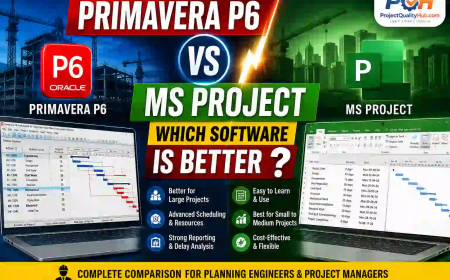
4. Is Primavera P6 better than Microsoft Project?
For large and complex projects, Primavera P6 is generally considered more powerful than Microsoft Project.
5. Can students learn Primavera P6?
Yes. Engineering students, especially from civil, mechanical, and project management fields, can benefit greatly from learning Primavera P6.